


Nextcloud Hub 10 – My Top 5 Apps
Nextcloud Hub 10 (version 31.0.6) is a powerful, self-hosted collaboration platform. I run it on an Ubuntu 22.04 server and use it daily for both personal and work-related tasks. Its flexibility and strong app ecosystem make it a great choice for anyone who values privacy and control over their data.
I’ve been using Nextcloud for several years now, and it has become a core part of my digital workflow. You can read more about my long-term experience here: Nextcloud – My Experience Collected in 2 Years of Usage.
Nextcloud has proven to be rock-solid. I’m very impressed by its reliability, design, and how well it handles daily use. Security is also well-thought-out, especially when combined with a proper firewall setup. I use it with FortiGate, and you can read more about that here: Nextcloud Security Concept with FortiGate Firewall.
Upgrading is straightforward and safe. With just a few clicks in the web interface, you can keep your system up to date. Here’s a step-by-step guide if you’re interested: How to Upgrade Nextcloud via the Web Interface.
In this post, I want to highlight the top 5 apps I use most often on my self-hosted Nextcloud Hub 10 (version 31.0.6) running on Ubuntu 22.04.
Here are the top 5 Nextcloud apps I rely on the most:
1. Audio Player
I use Audio Player to stream music and other audio files directly from my Nextcloud. All audio content is stored inside a Group Folder, which means other users with access to that folder can also listen to the same files.

The main advantages:
- Browser-based playback – no need for external apps or local downloads. Just open the browser and hit play.
- Easy navigation and sorting – browse by folders, playlists, albums, genres, or tags. The interface is simple and responsive.
One downside:
- When I add new music files, I have to manually trigger the scan process for the app to detect them. It would be more convenient if this were automated.
This app turns Nextcloud into a lightweight and private music streaming service for everyone on the server.
More information about this app you can find on the link: GitHub Repo.
2. Notes
Notes is my go-to app for writing down personal thoughts, plans, and ideas. I use it mainly for private notes, which I can easily copy and share with others when needed.
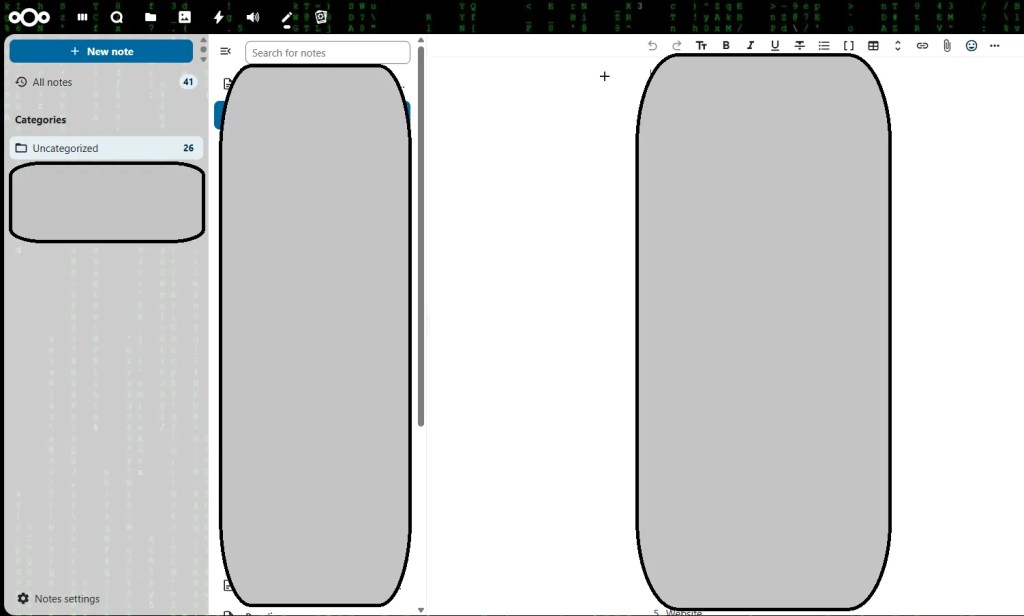
What I like the most:
- There’s a mobile app that syncs perfectly with my server. It allows me to access or update my notes on the go.
- The interface is clean, lightweight, and supports Markdown formatting.
However, one issue I’ve noticed:
- When a note contains an image, the mobile app’s browser view doesn’t render it well, especially on smaller screens. This can be annoying when reviewing rich content.
Still, for quick notes and easy access across devices, this app works great. It’s simple, fast, and private.
More information about this app you can find on the link: GitHub Repo
3. Talk
Talk is my main communication tool within Nextcloud. I use it to stay in touch with family members and my team. It replaces external messaging apps and keeps all conversations on my own server.

What works well:
- Simple file sharing – I can quickly send images, documents, or links within the chat.
- Mobile app – It keeps me connected even when I’m away from the computer.
- Private and secure – Everything stays on my server.
What could be better:
- Push notifications sometimes fail to arrive on the mobile app. This can cause delays in responding if I’m not actively checking.
Overall, Talk is a solid and private alternative to mainstream chat apps, especially when communication needs to stay in-house.
More information about this app you can find on the link: GitHub Repo
4. Memories
Although Memories is not my primary app for managing photos, I still keep it installed for occasional use and testing. My main solution for handling personal photos is Immich, and you can read more about it and my experience here: Organizing & Managing Photos with Immich

You can check demo access at this link.
What I like about Memories:
- Easy photo sharing – You can quickly share albums or individual images with others.
- Simple search and timeline – It’s easy to browse by date, and the gallery layout is clean.
Since I don’t use it as my main photo storage app, I haven’t noticed any major issues during my limited use. It’s a solid option if you want something integrated directly into Nextcloud.
More information about this app you can find on the link: Website
5. Team Folders (Group Folders)
Team Folders is a must-have app when multiple users need access to the same files. I use it for shared folders where team members or family need to collaborate or view common documents.

Main benefits:
- No need to duplicate files – Everyone accesses the same data from one central place.
- Easy management and access control – I can define read/write permissions per group or user.
It’s perfect for organizing folders that are shared across teams, departments, or family members. Simple, efficient, and saves storage space.
More information about this app you can find on the link: GitHub Repo
Conclusion
Nextcloud Hub 10 on Ubuntu 22.04 offers a powerful and flexible platform for managing your data privately. With the right apps, it transforms into a complete productivity and media solution.
The apps I use daily—Audio Player, Notes, Talk, Memories, and Team Folders—cover everything from music streaming to communication and collaboration. Each app brings unique value and helps me stay organized and connected without relying on external services.
If you’re running your own Nextcloud server, I highly recommend trying these apps to get the most out of your setup. They keep your data safe, accessible, and easy to manage.


